

What Is a Mobile Hotspot? Complete Guide for UAE Mobile Users
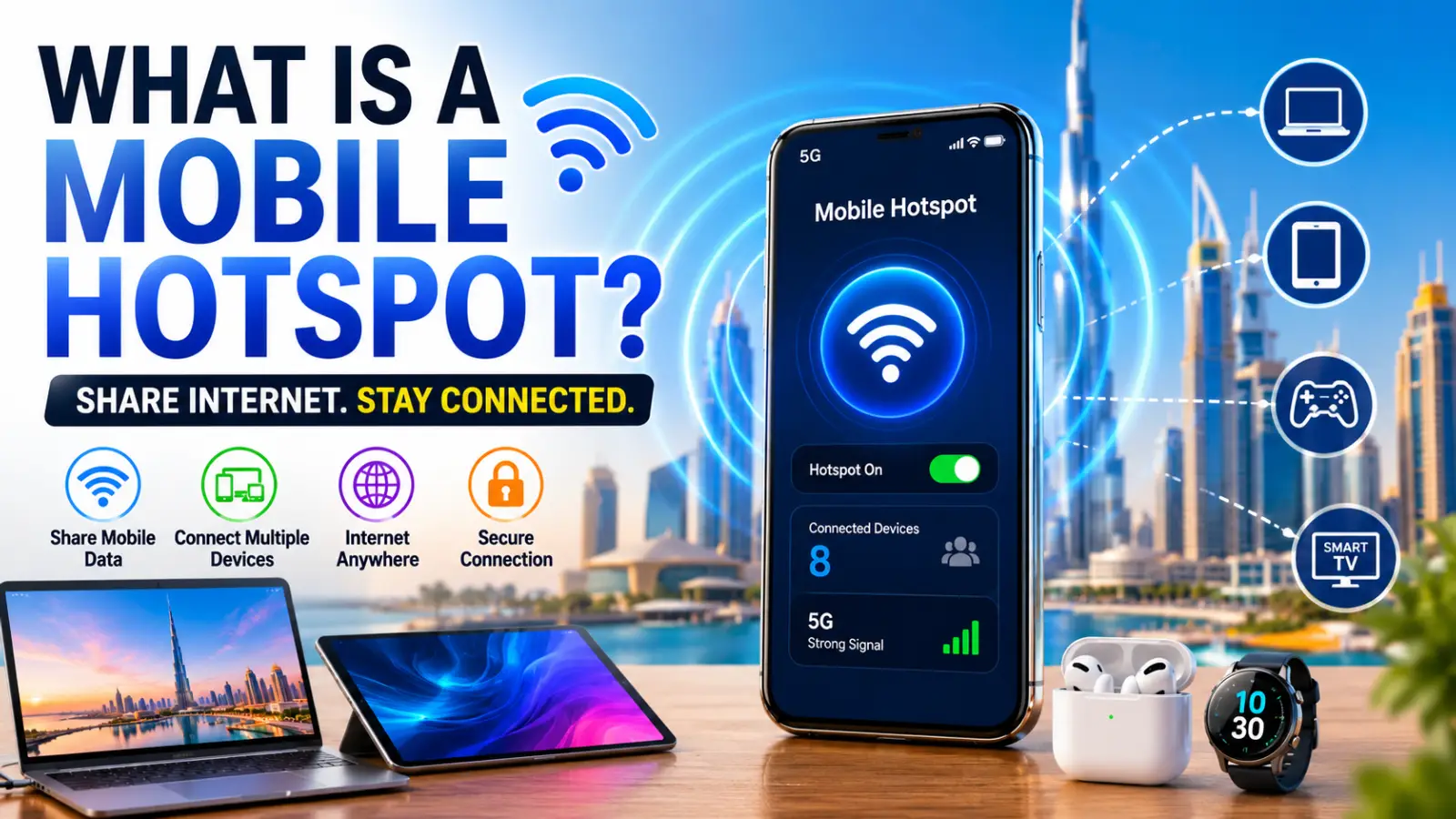
A mobile hotspot allows a smartphone, tablet, or dedicated hotspot device to share its cellular internet connection with other devices. Instead of connecting directly to a WiFi router, laptops, tablets, smart TVs, and other devices can access the internet through the mobile network connection of the hotspot-enabled device.
As 5G coverage continues to expand across the UAE, mobile hotspots have become an increasingly practical solution for remote work, travel, online learning, and temporary internet access.
Mobile Hotspot Meaning
A mobile hotspot is a feature that turns a smartphone or portable hotspot device into a wireless internet access point.
When enabled, the device receives internet data through a mobile network such as 4G LTE or 5G and broadcasts that connection as a WiFi signal. Nearby devices can connect to this signal just like they would connect to a traditional wireless router.
In simple terms:
- Mobile network provides internet access
- Smartphone acts as a mini router
- Other devices connect through WiFi
- Internet is shared between connected devices
How Does a Mobile Hotspot Work?
The process is straightforward:
- Your smartphone connects to the cellular network.
- The hotspot feature converts the mobile data connection into a WiFi network.
- Other devices detect the hotspot signal.
- Users enter the hotspot password.
- Connected devices gain internet access through the smartphone.
The performance of a hotspot depends on several factors:
- Mobile signal strength
- 4G or 5G network quality
- Data plan limitations
- Number of connected devices
- Device hardware capabilities
Types of Mobile Hotspots
Smartphone Hotspot
Most Android and iPhone devices include a built-in hotspot feature.
Advantages:
- No additional hardware required
- Easy setup
- Convenient for occasional use
Disadvantages:
- Increased battery consumption
- May reduce smartphone performance during heavy usage
Dedicated Mobile Hotspot Devices
Portable hotspot devices are designed specifically for internet sharing.
Advantages:
- Longer battery life
- Supports more connected devices
- Better signal management
Disadvantages:
- Additional purchase cost
- Requires separate SIM card and data plan
USB Tethering
Internet is shared through a USB cable connection.
Advantages:
- Stable connection
- Charges the smartphone while connected
- Reduced wireless interference
Disadvantages:
- Requires physical cable connection
Bluetooth Tethering
Internet is shared using Bluetooth technology.
Advantages:
- Lower battery consumption
- Simple device pairing
Disadvantages:
- Slower speeds than WiFi hotspot sharing
How to Enable a Mobile Hotspot on Android
Most Android smartphones follow a similar setup process.
Steps:
- Open Settings.
- Select Network & Internet.
- Tap Hotspot & Tethering.
- Choose WiFi Hotspot.
- Enable the hotspot feature.
- Set a network name (SSID).
- Create a strong password.
- Connect other devices using the hotspot credentials.
Some smartphone brands may use slightly different menu names, but the overall process remains similar.
How to Enable a Mobile Hotspot on iPhone
Apple devices offer a feature called Personal Hotspot.
Steps:
- Open Settings.
- Tap Personal Hotspot.
- Enable Allow Others to Join.
- Set or verify the WiFi password.
- Connect devices using the displayed network name and password.
Modern iPhones support high-speed hotspot sharing over both 4G and 5G networks.
Advantages of Using a Mobile Hotspot
Internet Anywhere
Users can access the internet in locations without traditional broadband connections.
Ideal for Travel
Mobile hotspots are particularly useful for business travelers, tourists, and remote workers.
Quick Setup
No installation or technical expertise is required.
Backup Internet Connection
A hotspot can serve as an emergency internet source during home or office broadband outages.
Multi-Device Connectivity
Most smartphones can support multiple connected devices simultaneously.
Disadvantages of Mobile Hotspots
Increased Battery Drain
Continuous hotspot usage consumes significantly more power than standard smartphone operation.
Data Usage Concerns
Video streaming, cloud backups, and software updates can quickly consume mobile data allowances.
Network Congestion
Performance may decrease in crowded areas where many users are connected to the same cellular tower.
Heat Generation
Extended hotspot sessions may cause devices to become warm, especially during 5G usage.
Mobile Hotspot Speeds: 4G vs 5G
| Network Type | Typical Download Speed | Best Use Cases |
|---|---|---|
| 4G LTE | 20 Mbps to 100 Mbps | Browsing, video calls, streaming |
| 5G | 100 Mbps to 1 Gbps+ | Gaming, large downloads, remote work |
Actual speeds vary depending on carrier coverage, location, network traffic, and device compatibility.
Mobile Hotspot Data Consumption
Different activities consume different amounts of data.
| Activity | Approximate Data Usage |
| Web Browsing | 60 MB to 150 MB per hour |
| Video Calls | 500 MB to 1.5 GB per hour |
| HD Streaming | 2 GB to 4 GB per hour |
| 4K Streaming | 7 GB to 15 GB per hour |
| Online Gaming | 40 MB to 300 MB per hour |
Users should monitor data consumption carefully when sharing connections with multiple devices.
Security Tips for Mobile Hotspots
To protect personal information and prevent unauthorized access:
- Use strong passwords
- Enable WPA2 or WPA3 encryption
- Disable hotspot when not in use
- Avoid sharing credentials publicly
- Monitor connected devices regularly
- Change passwords periodically
These practices help reduce the risk of unauthorized network usage.
Mobile Hotspots in the UAE
Mobile hotspots are widely used across the UAE thanks to extensive 4G LTE and 5G network coverage.
Popular use cases include:
- Business travel between emirates
- Remote work
- University students
- Temporary home internet access
- Tourism and international visitors
Many modern smartphones sold in the UAE support advanced hotspot features, including dual-band WiFi hotspot sharing and 5G tethering.
Who Should Use a Mobile Hotspot?
A mobile hotspot is ideal for:
- Remote workers
- Business travelers
- Students
- Digital nomads
- Frequent commuters
- Users needing backup internet access
Those who require permanent, high-volume internet usage may still benefit more from fixed broadband connections.
Frequently Asked Questions
Is a mobile hotspot free?
The hotspot feature itself is usually free, but data usage is deducted from your mobile data plan.
Does a hotspot use more data?
No. A hotspot uses the same amount of data as the connected devices consume while accessing the internet.
Can I use a hotspot with 5G?
Yes. Most modern 5G smartphones support high-speed hotspot sharing.
How many devices can connect to a hotspot?
Most smartphones support between 5 and 15 connected devices, depending on hardware and software limitations.
Does hotspot sharing damage a phone?
Normal hotspot usage does not damage a phone. However, prolonged usage may increase battery wear and generate additional heat.
Final Verdict
A mobile hotspot is one of the most useful connectivity features available on modern smartphones. It transforms a mobile device into a portable internet hub, allowing laptops, tablets, and other devices to connect wherever cellular coverage exists.
For users in the UAE, where 4G LTE and 5G networks offer extensive coverage and strong performance, mobile hotspots provide a convenient solution for travel, remote work, emergency internet access, and day-to-day connectivity needs.